
Bible Sparks lays the Bible on your desk like a real book: with the original languages, word study, cross-references, a timeline and your own notebooks. Offline on your PC, no subscription.
The checkout could not be loaded. Please turn off your ad blocker for this page or write to us at info@erweckungsfunken.de.
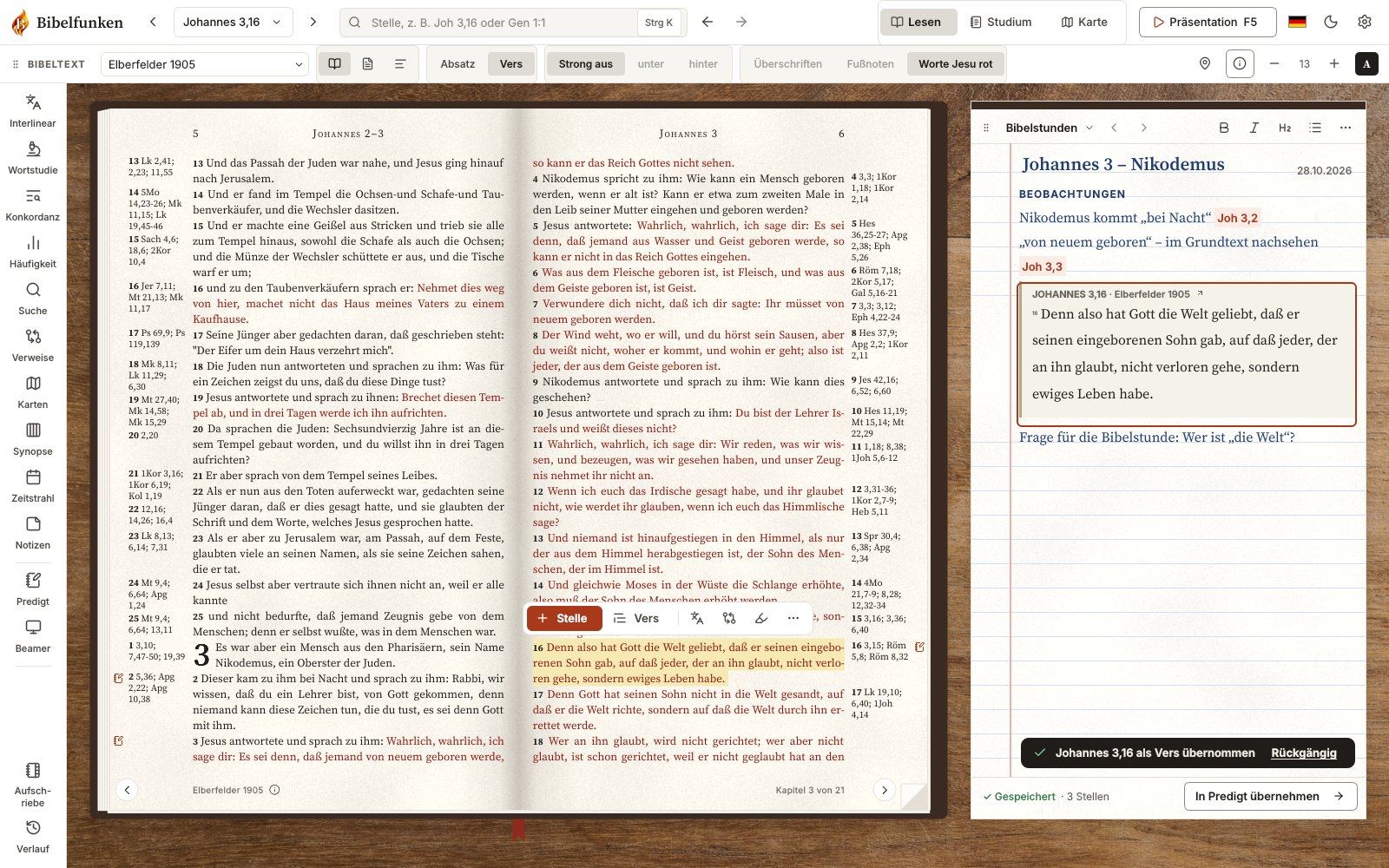
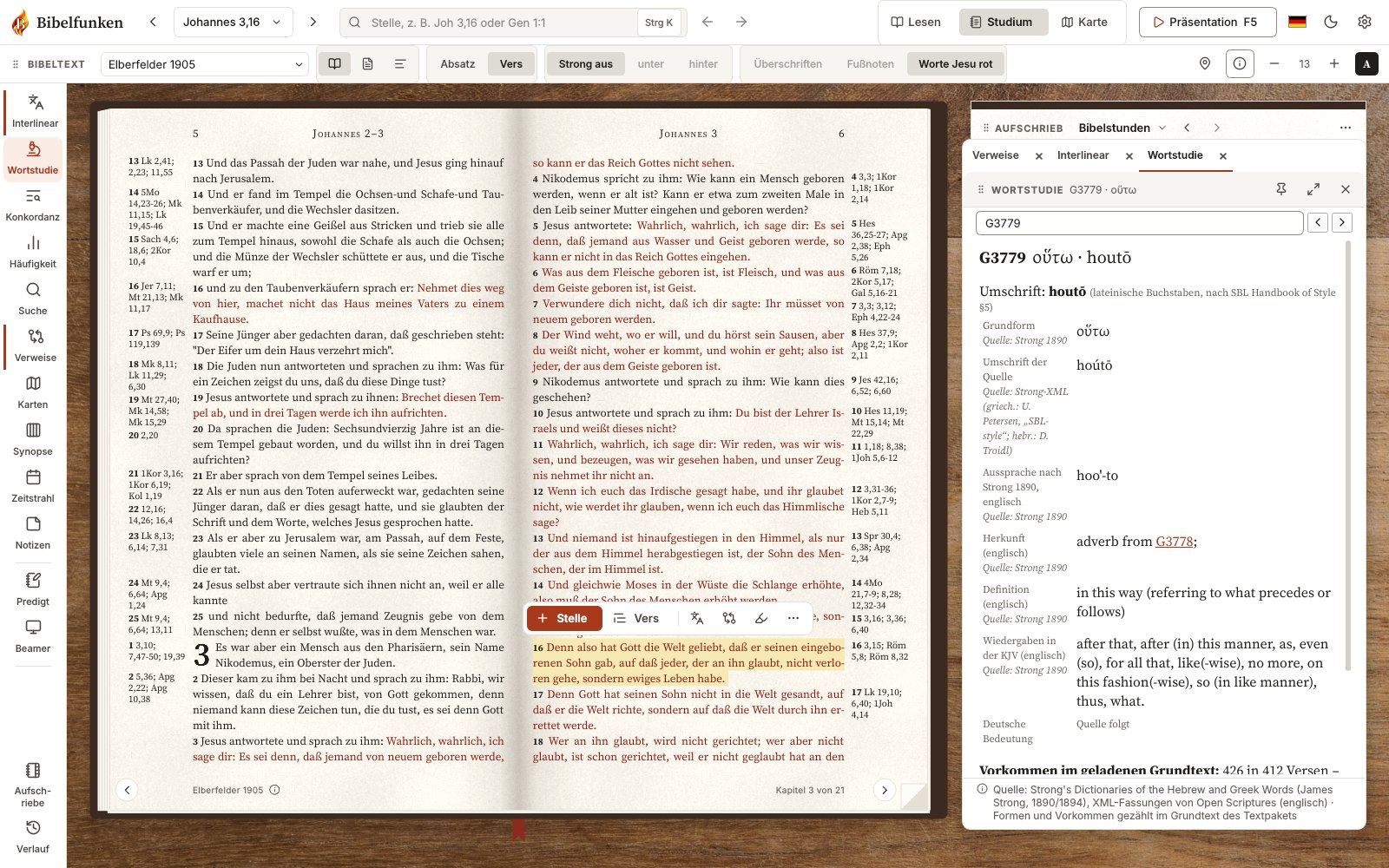
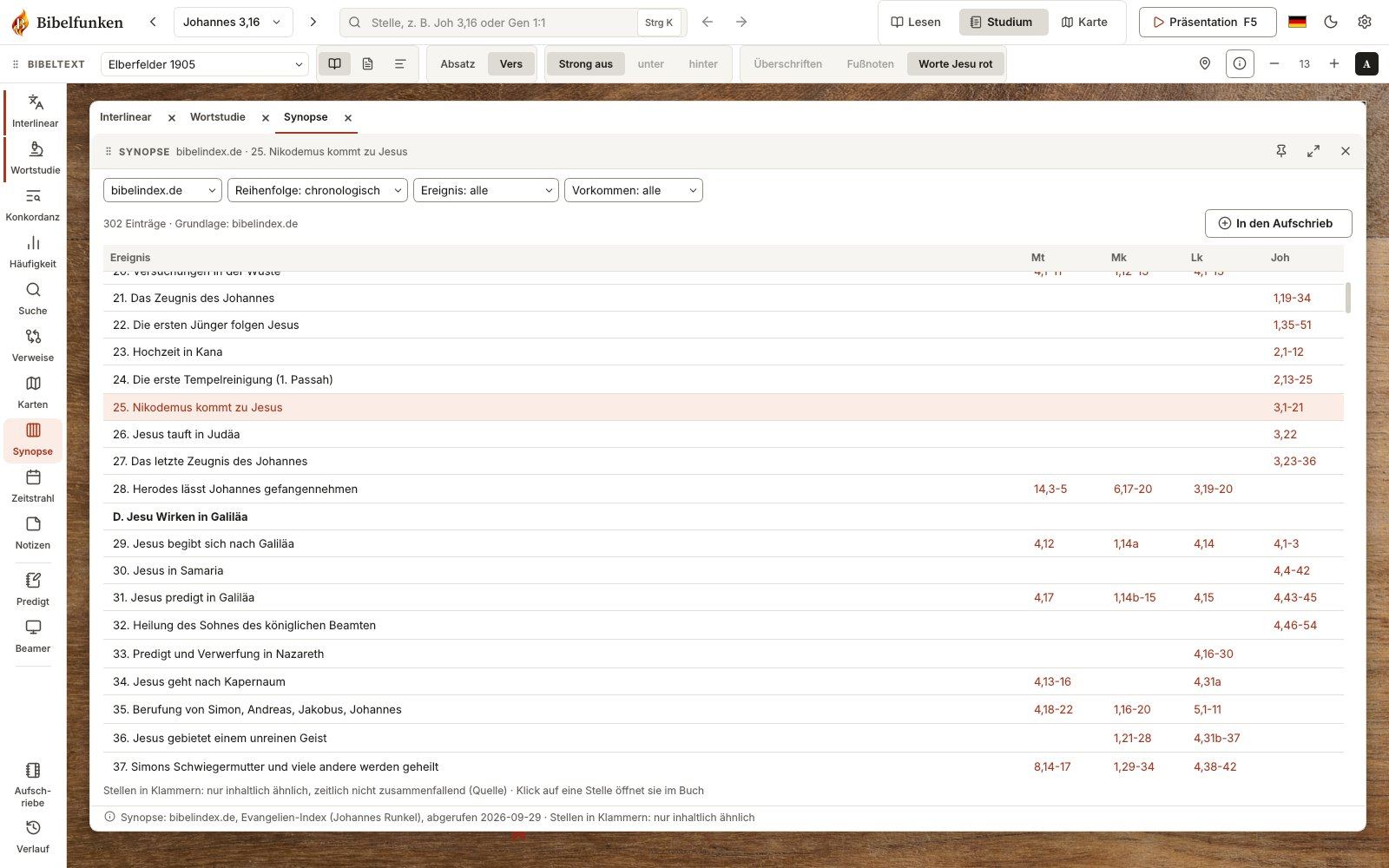
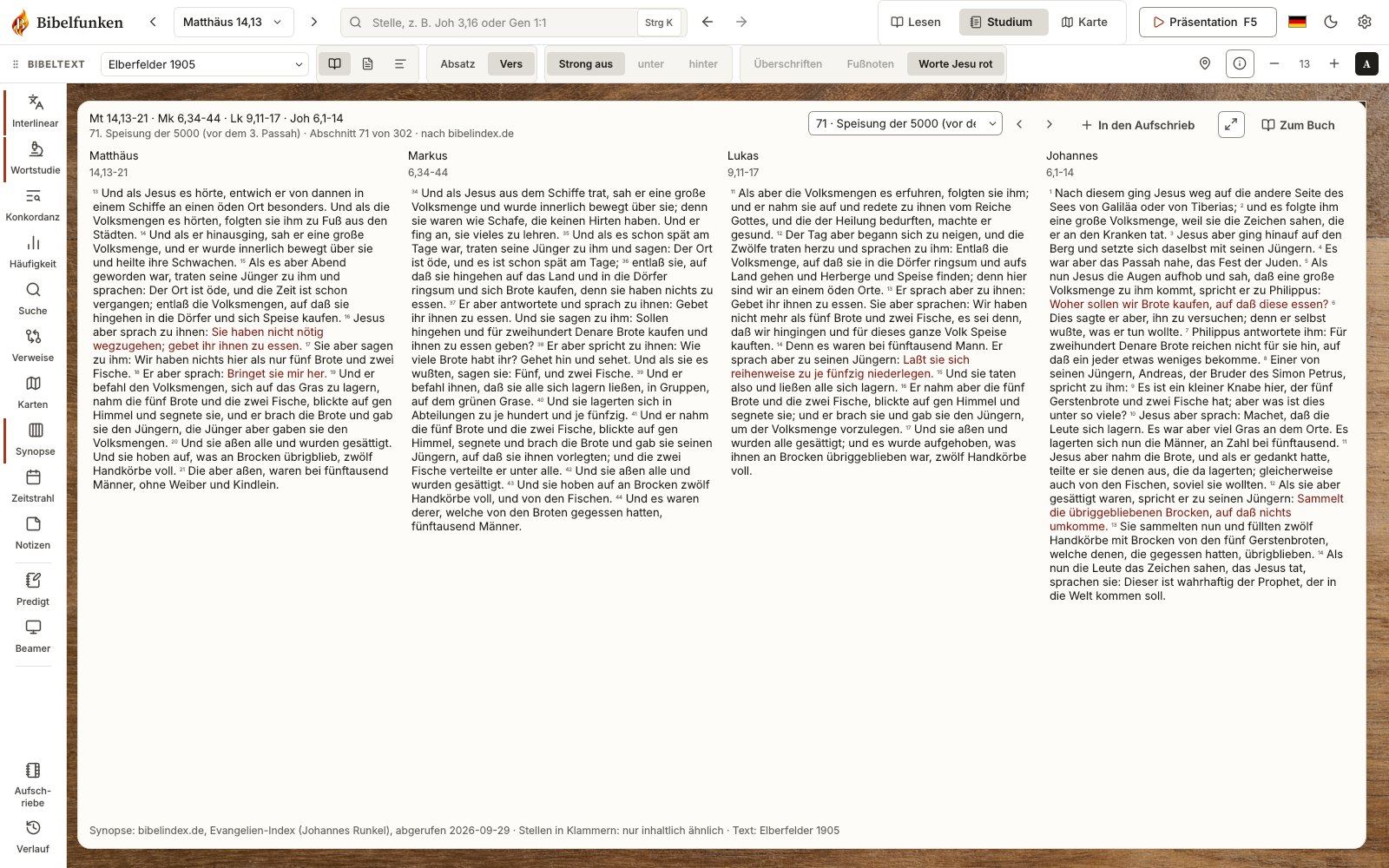
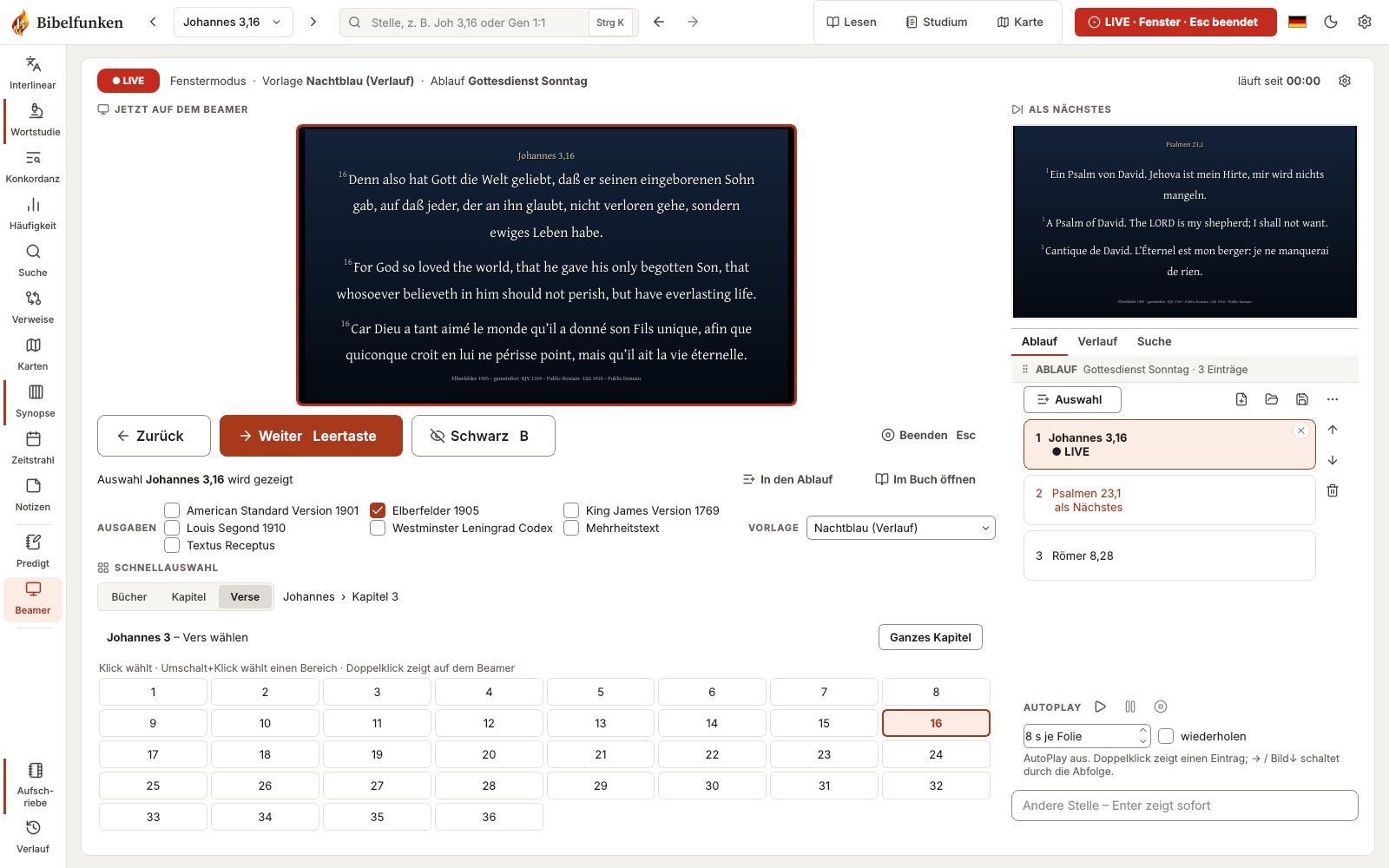
The Bible lies open in front of you like a book, with your notes right beside it. Turn pages, highlight, take notes.
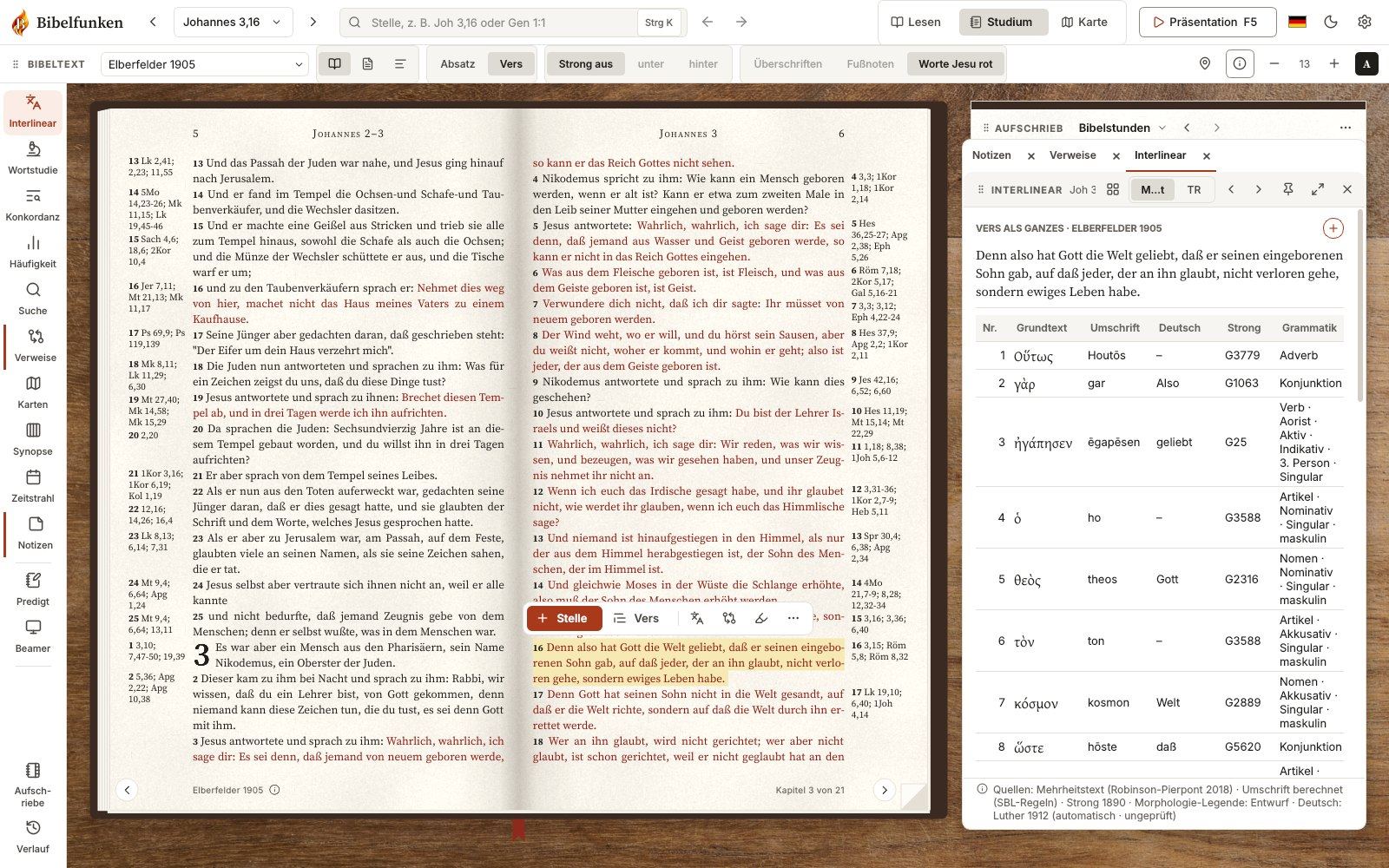
Hebrew and Greek word by word, with Strong’s numbers, grammar and word study.
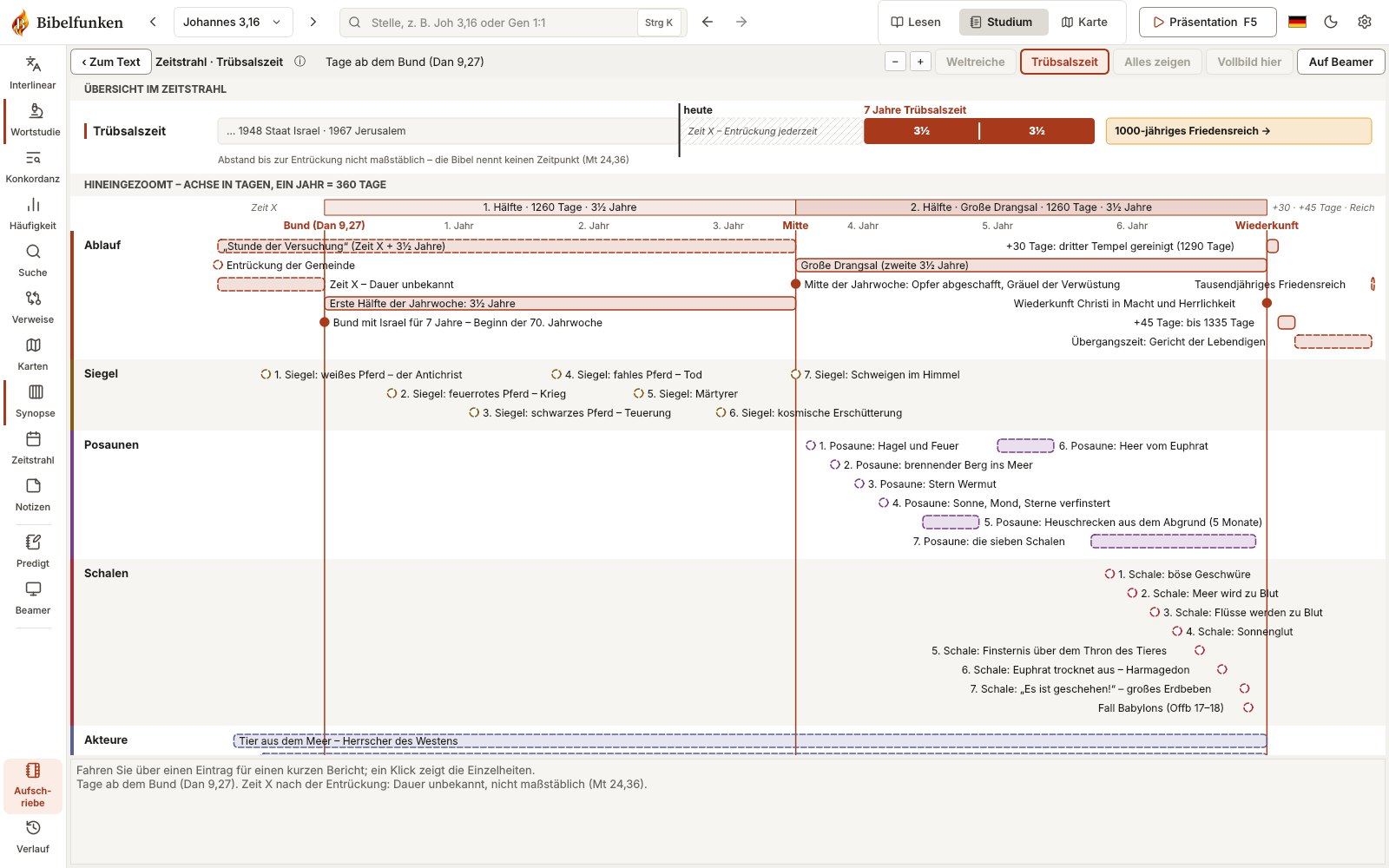
From Adam to the return of Jesus – with all events, people and the Tribulation day by day.
The journeys of Jesus and Paul, the Exodus from Egypt and more – stop by stop with the matching Bible passage.
The Gospels side by side: see how Matthew, Mark, Luke and John report the same event.
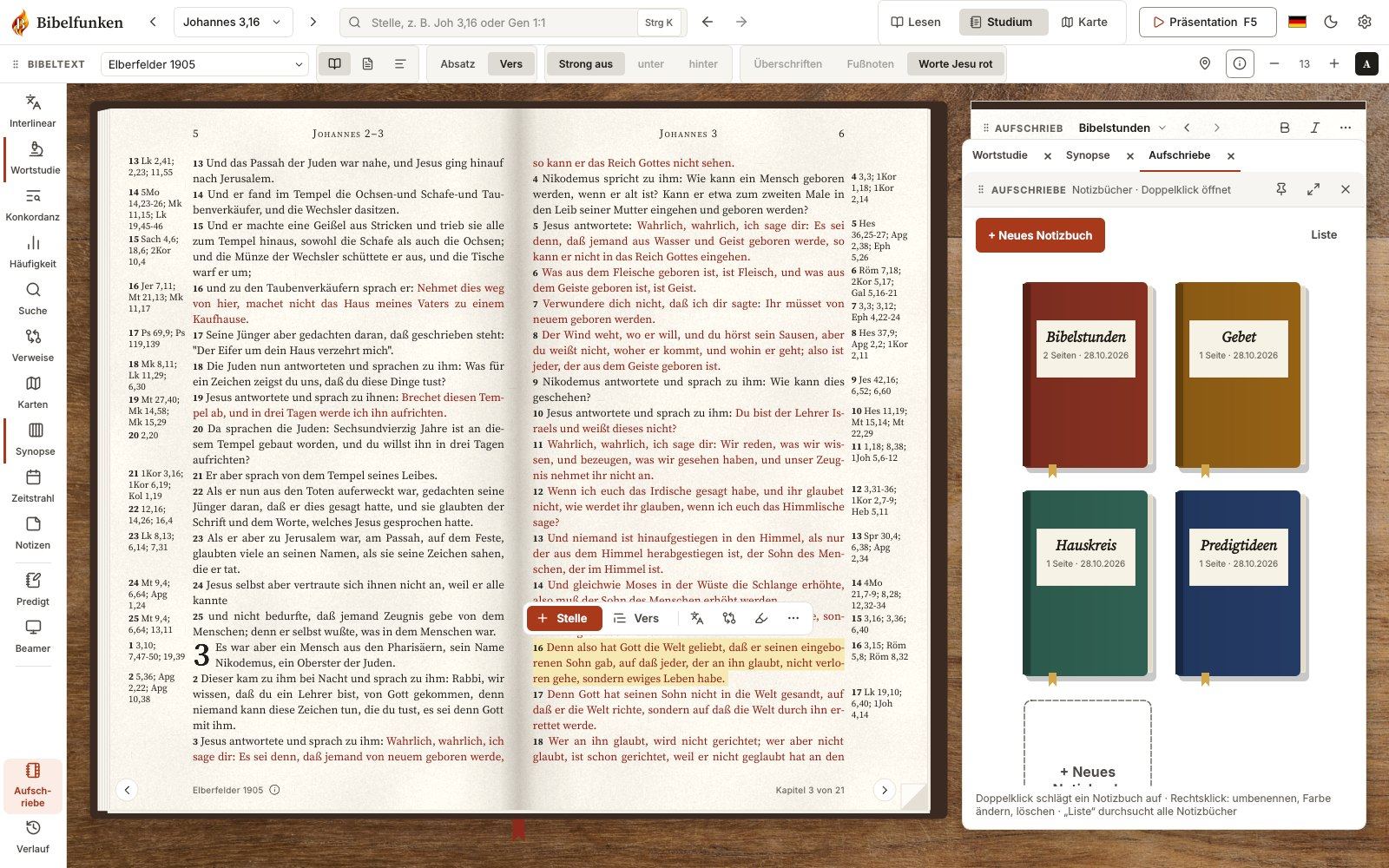
Notebooks for sermons and Bible studies, and Bible passages shown live on the projector.
On PCs and laptops with Windows 10 or Windows 11 (64-bit). Recommended: 4 GB RAM, about 400 MB of free disk space and a screen of at least 1280 × 720 pixels. The installer is about 90 MB.
No. Bible Sparks is available for Windows PCs and laptops only.
On all PCs you own yourself – for example your desktop at home and your laptop. The download link in your purchase email is valid for 30 days and can be used several times; later you download new versions right from the program with your buyer key.
Only for downloading and updates. After that, Bible Sparks works completely offline.
No. You pay $29 once and can use Bible Sparks without limits.
Public-domain translations: King James Version 1769, American Standard Version 1901, World English Bible, Berean Standard Bible, Majority Standard Bible, Darby, Young’s Literal Translation, Webster 1833, Geneva 1599 and the Tyndale New Testament. Plus the Hebrew text (Westminster Leningrad Codex) and the Greek text (Textus Receptus and Robinson-Pierpont 2018) with Strong’s numbers.
Modern copyrighted translations such as the NIV, ESV, NKJV or NASB are not included and cannot be bought separately. If you own a Bible text as a file (USFM, OSIS XML, Zefania XML, CSV or an unencrypted SWORD module, e.g. from eBible.org), you can load it via “Import edition” – it then stays on your PC only.
Payment is handled by our reseller Paddle (card, PayPal, Apple Pay, Google Pay). Right after that you receive an email with your personal download link, your order number and your buyer key; Paddle sends the invoice in a separate email.
Please check your spam folder first: the email comes from info@erweckungsfunken.de with the subject “Your download: Bible Sparks”. If nothing arrives within 15 minutes or your link has expired, write to info@erweckungsfunken.de – ideally with your order number. You will get a new link.
Paddle.com is the Merchant of Record and your contract partner: refunds are handled via paddle.net, or you write to us and we forward it. If you haven’t downloaded Bible Sparks yet, you get a full refund within 14 days. More in our refund policy. If Bible Sparks doesn’t run on your PC, please contact us first – we are glad to help.
Yes. All future updates are included. On start, Bible Sparks checks whether a new version is available and shows you a notice. Your notebooks and settings are kept.
Only on your PC – there is no account and no cloud. Notebooks, sermons, settings and your buyer key are stored in %APPDATA%\BibleBase. Back up this folder regularly, e.g. to a USB stick.